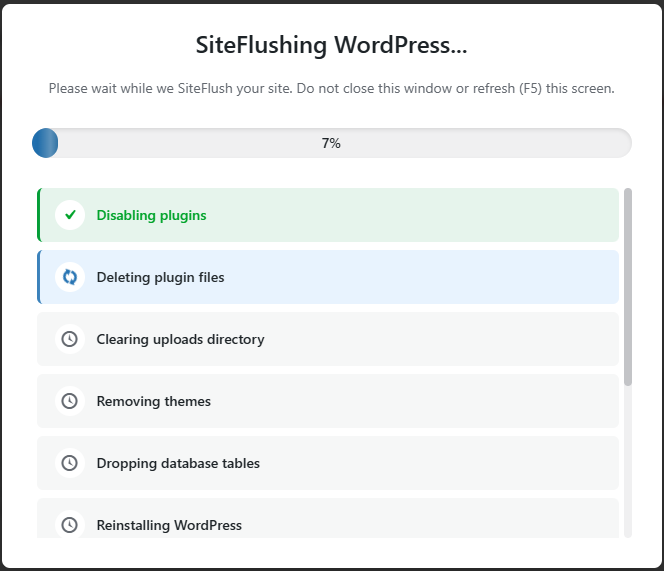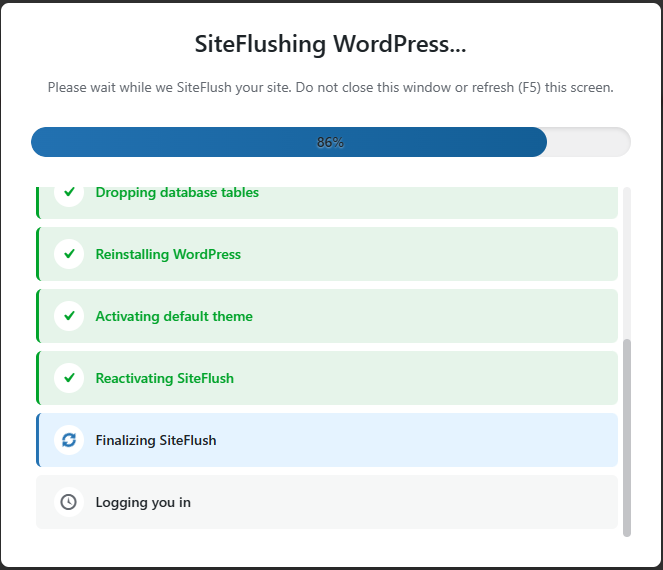
SiteFlush is an open source WordPress plugin. It SiteFlush your WordPress site to a completely fresh installation. Removes all content, plugins (except this one), themes, and uploads.
This is perfect for:
-
- Development and testing environments
-
- Cleaning up after experiments
-
- Starting fresh without manual database manipulation
-
- Learning WordPress without creating new installations
When you run SiteFlush, the following happens:
-
- Database: All WordPress tables are dropped and recreated
-
- Plugins: All plugins are deactivated and deleted (except SiteFlush)
-
- Themes: All non-default themes are deleted
-
- Uploads: All files in wp-content/uploads are deleted
-
- Settings: Site options are reset to defaults
What Stays Safe
-
wp-config.php(database credentials remain intact)
-
.htaccess(server configuration unchanged)
-
- SiteFlush plugin itself
-
- WordPress core files
-
- Default WordPress themes (Twenty Twenty-series)
Important Warnings
⚠️ This action is DESTRUCTIVE and IRREVERSIBLE
-
- There is NO undo
-
- There is NO backup (in the free version)
-
- ALL your content will be permanently deleted
-
- Use only on development/testing sites
Requirements
-
- WordPress 5.8 or higher
-
- PHP 7.4 or higher
-
- Single-site installation only (multisite not supported)
-
manage_optionscapability (administrator role)
Installation
-
- Upload the
SiteFlushfolder to/wp-content/plugins/directory - Activate the plugin through the ‘Plugins’ menu in WordPress
- Navigate to Tools → SiteFlush to access the SiteFlush page
- Upload the
Usage
-
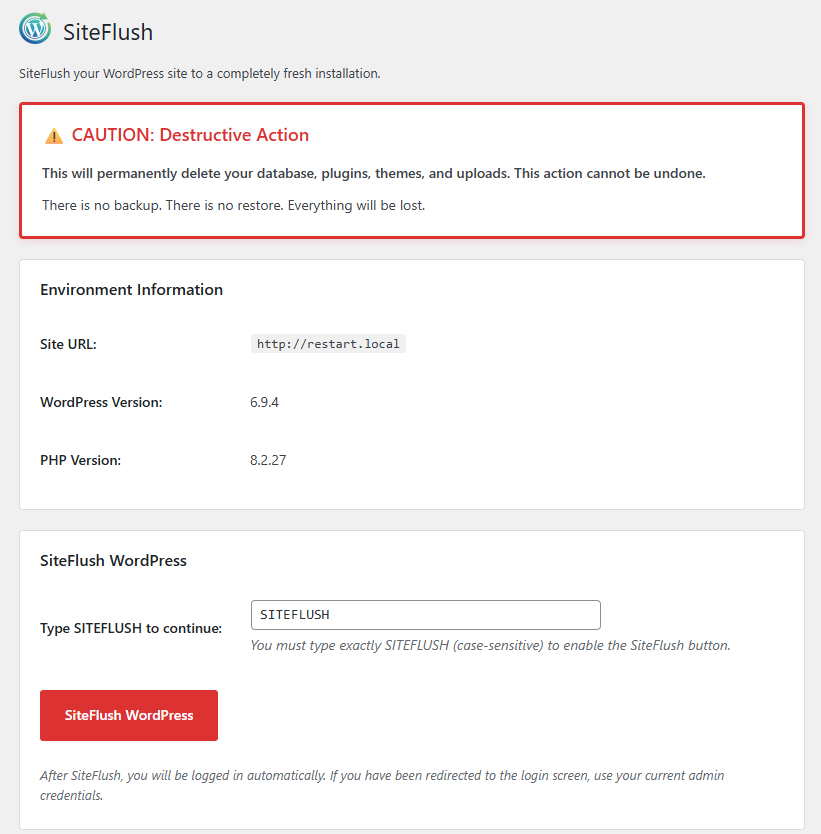
- Go to SiteFlush in your WordPress admin
- Review the warning and environment information
- Type
SiteFlush(all caps, exactly) in the confirmation field - Click the “SiteFlush WordPress” button

- Confirm the final warning dialog
- Wait for the SiteFlush to complete
- It will log you in automatically